
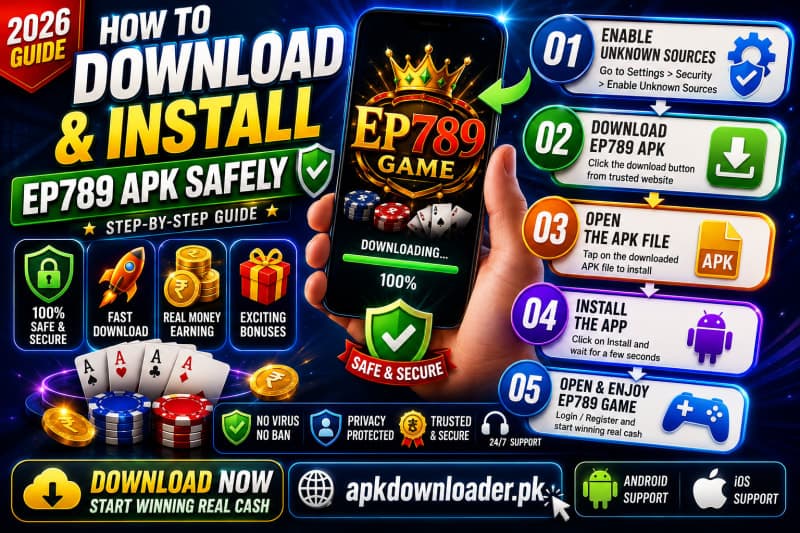
The EP789 Game is not available on the Google Play Store, so it installs as a standalone APK (Android Package) file instead. That sounds technical, but the process takes about five minutes and only needs to be done once. This guide walks you through every step — downloading the latest file from the official source, allowing the install, registering with OTP, and claiming your welcome bonus — plus how to do it all safely.
What is an APK and why EP789 uses one
An APK is simply the file format Android uses to install apps — the same format the Play Store delivers behind the scenes. Because many real-money gaming apps aren't listed on Google Play, they're distributed directly as a downloadable APK from the developer's own website. For EP789, that official source is ep789.com.
Installing this way is normal on Android, but it does mean one extra step: you have to give your browser permission to install an app it didn't get from the Play Store. We'll cover that below.
Before you start: requirements
| Device | Android phone or tablet |
| App size | ~9 MB (small — installs fast) |
| Internet | Wi-Fi or mobile data needed to download and play |
| Free storage | At least ~50 MB recommended |
| Phone number | An active number for OTP verification |
| Payment app | JazzCash or Easypaisa (only if you plan to deposit) |
| Age | 18 years or older |
Step-by-step installation
- 1Download the official APK On your Android phone, open ep789.com and tap the Download button. Your browser will save the
.apkfile — this usually takes only a few seconds because the app is around 9 MB. - 2Allow installs from your browser When you open the file, Android may warn that it can't install apps from this source. Tap Settings on that prompt and turn on Allow from this source (sometimes called "Install unknown apps"). This permission is tied to your browser, not the whole phone.
- 3Open the file and install Go back, then open the downloaded file from your notification bar or your Downloads folder / Files app. Tap Install, wait a moment, then tap Open.
- 4Launch EP789The EP789 icon will now appear on your home screen or app drawer. Open it to reach the sign-up screen.
Registering & verifying with OTP
Once the app is open, creating an account takes under a minute:
- Tap Sign Up / Register.
- Enter your mobile number and choose a password.
- You'll receive a one-time password (OTP) by SMS — type it in to verify your number.
- That's it: your account is created and you're logged in.
Never share your OTP or password with anyone — not even someone claiming to be EP789 support. A genuine service will never ask for it.
A look inside the EP789 app
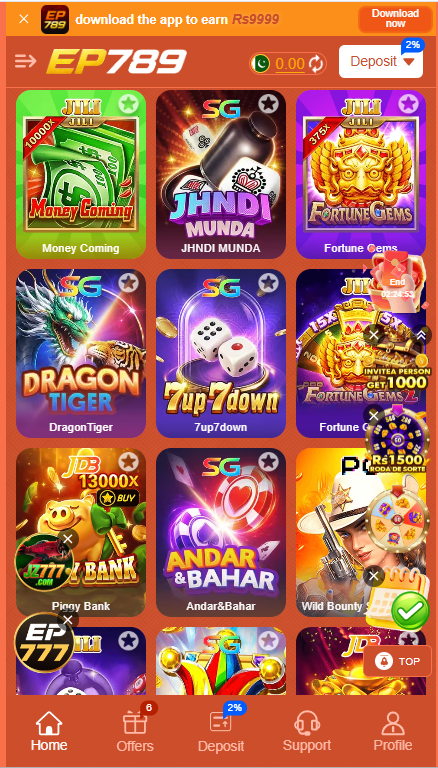
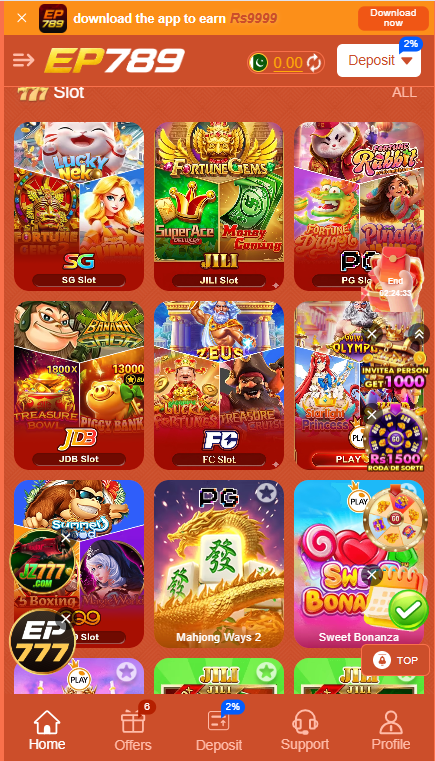
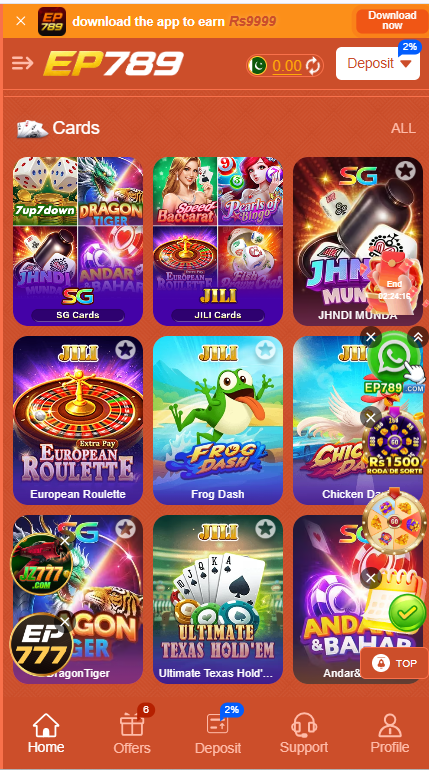
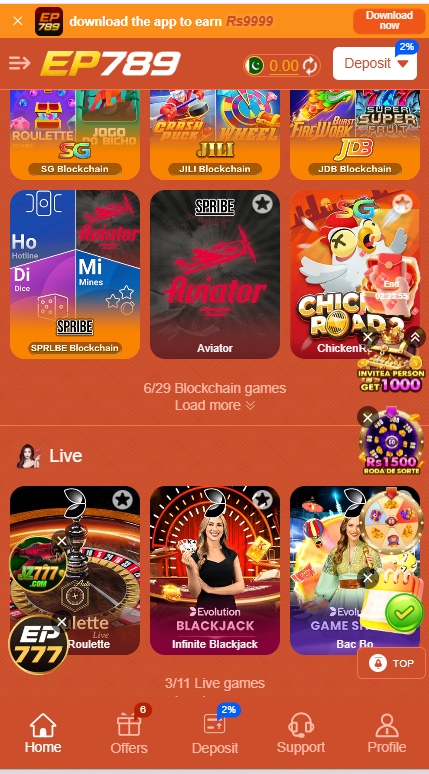
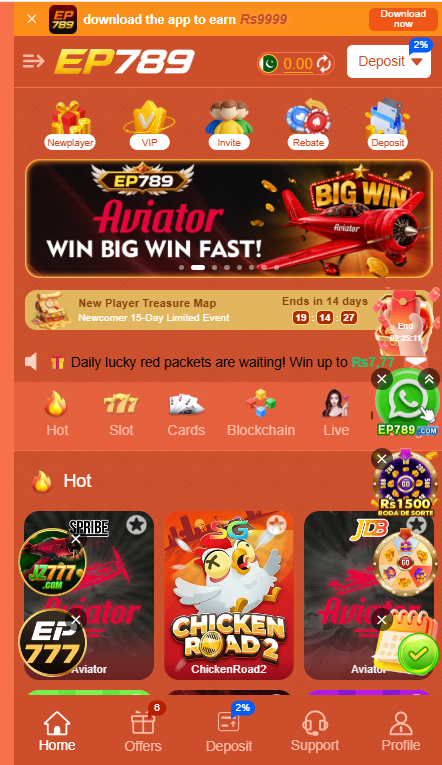
Once you're in, the home screen puts the bonus banner, wallet and game categories within easy reach. Here's what the real app looks like across its main sections — slots, blockchain crash games, live casino, cards, fishing and sports:
First deposit & welcome bonus
You can browse the games for free, but real-money play needs a balance. To add funds:
- Open the Deposit section from the home screen or bottom navigation.
- Choose JazzCash or Easypaisa and enter the amount.
- Follow the on-screen payment instructions and confirm.
- Once the deposit lands, head to the Promotions or Bonus area to claim your welcome bonus (up to Rs 100 for new players).
Staying safe while installing
- Use the official link. Download only from www.APKdownoader.pk/games/ep789.com
- Turn the permission back off (optional). After installing, you can disable "Install unknown apps" for your browser to keep your phone locked down.
- Keep your login private. Don't reuse the same password you use for banking, and never share your OTP.
- Update from inside the app or the official site. Because it's not on the Play Store, updates are manual — grab new versions only from www.APKdownloader.pk.
- Set a budget first. Decide what you're willing to spend before you deposit, and stop when you reach it.
Troubleshooting common problems
"App not installed" error
This usually means an older or incomplete copy is already on your phone. Delete any previous EP789 file, re-download fresh from ep789.com, and make sure you have a little free storage.
The install is blocked
You probably skipped the "Allow from this source" step. Go to Settings → Apps → Special access → Install unknown apps, pick your browser, and switch it on. Then re-open the APK.
OTP didn't arrive
Check your signal, wait a minute, and tap Resend. Make sure the number you entered is correct and can receive SMS.
Download keeps failing
Switch between Wi-Fi and mobile data, or clear your browser's download cache, then try again from the official link.
Frequently asked questions
Is EP789 on the Google Play Store?
No. EP789 is not listed on Google Play and must be installed using the APK file from ep789.com.
Is it safe to enable "unknown sources"?
Yes, as long as you only install the file from the official ep789.com link. The permission simply lets your browser install an app that didn't come from the Play Store. You can switch it back off afterwards.
How big is the EP789 APK?
Around 9 MB, so it downloads quickly and runs well even on budget phones.
Which payment methods can I use?
JazzCash and Easypaisa are the main deposit and withdrawal methods, with some selected banking apps also supported.
Do I need to be 18 to register?
Yes. Registration and play require you to be 18 years or older. EP789 is real-money entertainment, not a way to earn a living.
That's everything — once installed, the app updates regularly with new games and fixes, so keep an eye on the official site for the latest version. Most of all, treat EP789 as paid entertainment and play responsibly.
Ready to download the APK?
Download the latest verified APK, register with OTP, and claim your welcome bonus. 18+ only — play responsibly.
▶ Download Latest APK